
An AI project manager that runs the project, not just the board.
An AI project manager reads what your team is already doing (client email, meeting transcripts, discovery interviews), turns it into tasks and decisions on the right board, watches every project for drift and briefs the people accountable each morning. WorkPM is built that way for consultants, integrators and implementation partners who answer to clients. This page explains what an AI project manager is, what one should do every day, and what WorkPM does that AI features inside a board tool cannot.

Watch
How Micronetbd transformed SchoolStatus' Salesforce and CPQ: a client story
How Micronetbd transformed SchoolStatus' Salesforce and CPQ: the kind of project WorkPM was built to run.
More videos on this pageWhat is an AI project manager?
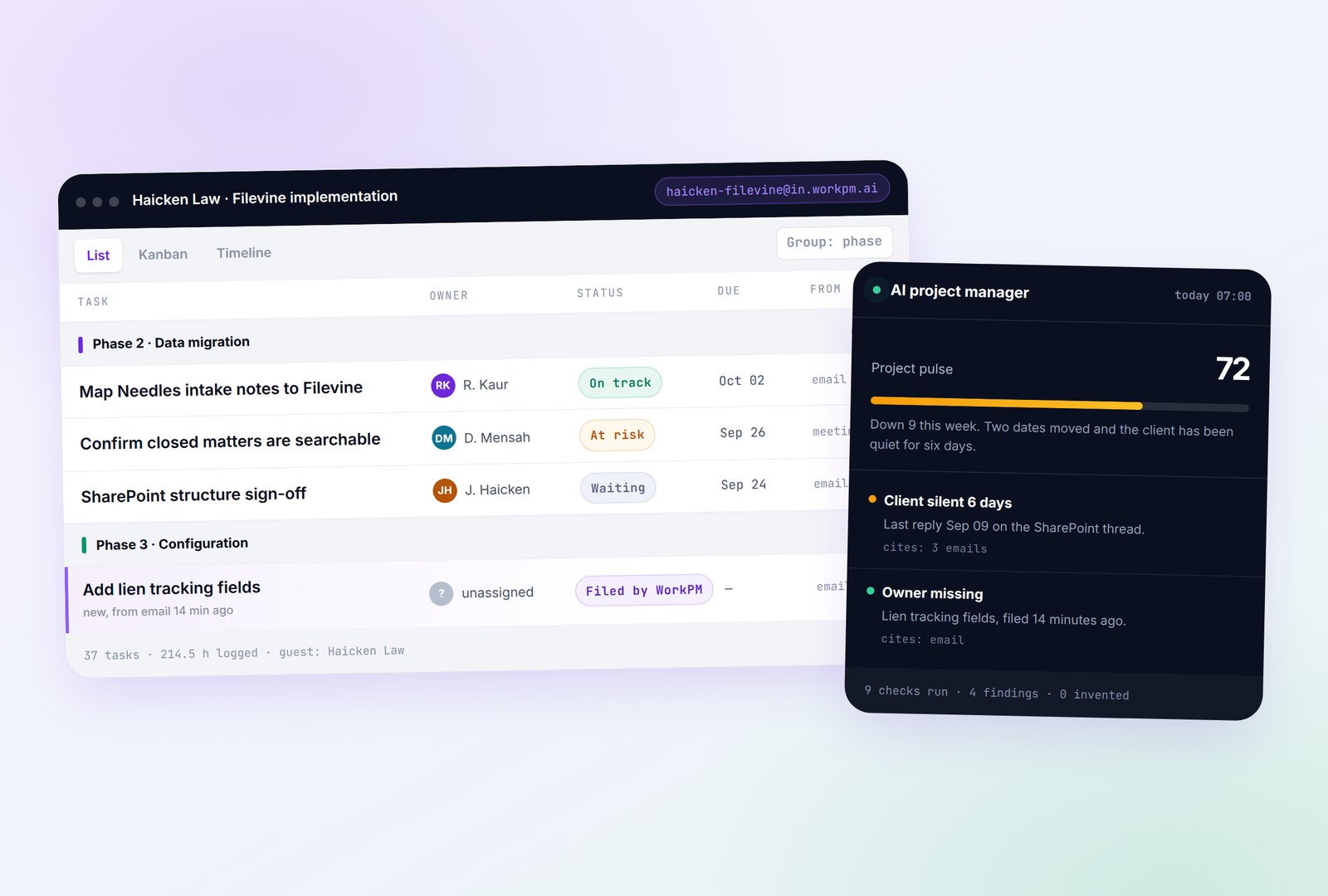
An AI project manager is software that does project management work rather than decorating a board: it takes in the raw material of a project (email, meetings, requirements conversations, time entries), writes the tasks, decisions and risks that come out of it, keeps the timeline honest, and tells the accountable people what needs them today. A board waits to be updated; an AI project manager updates it.
The test is simple. If a client emails a change on Tuesday night and nobody types it in, does the project know on Wednesday morning? With AI features bolted onto a board tool, no: they summarise what someone already entered. With an AI project manager, yes: the email became a task with an owner while everyone was asleep, and the morning brief leads with it.
- Files client email into tasks with a summary, on the right board, on its own
- Sits in meetings and comes back with decisions, actions and risk signals, by speaker, with the minute cited
- Runs discovery as a conversation and files requirements with the source line kept
- Watches every project for drift: a client gone quiet, a date that moved twice, scope that never reached the board
- Briefs the people accountable each morning with the three projects that need them, each line linked to its source
- Gives each client a view of their own project on your domain, with nothing internal showing
What WorkPM does between one standup and the next
Five things happen on every project without anyone typing them in.
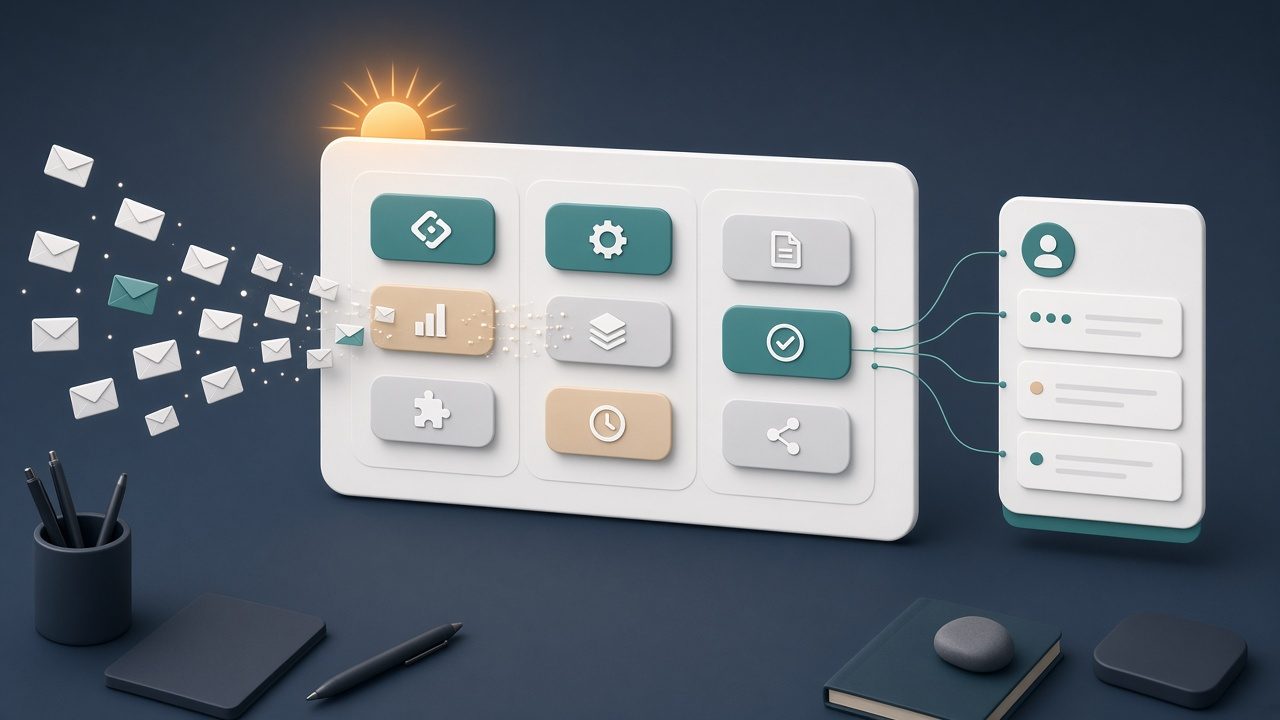
7:30, the brief
Three projects that need a person today and why: a client silent for six days, a go-live date that moved twice, a scope change that lives in a thread and not on the board.
9:10, an email lands
The client replies to a thread the project is copied on. The message becomes a task with a summary and an owner, on the right board, within the minute.
11:00, the weekly sync
WorkPM sits in the call and comes back with decisions, actions and risk signals, by speaker, each citing the minute in the transcript.
2:00, a date slips
The second slip on the same milestone. It is flagged as a risk with its history, not buried in a notification feed.
4:45, the client checks in
They open their project on your domain: status, dates, owners and the one item that needs them. No internal notes, no margins, no other clients.
AI project manager, AI features in a board tool, and a human PM
The difference between a role and a feature, and why the role helps the human rather than replacing them.
| AI features in a board tool | A human project manager | WorkPM, an AI project manager | |
|---|---|---|---|
| Where work comes from | Someone types it in | Reads email and meetings, then types it in | Client email, meeting transcripts and discovery interviews, filed on their own |
| What the AI produces | Summaries and suggested subtasks | Judgement, relationships, decisions | Tasks with owners, decisions with citations, risk signals with history, for the human to act on |
| Client view | A shared login to your workspace | A weekly status email | Their project on your domain, guests only, always current |
| What you read in the morning | Notifications | Whatever was caught yesterday | A brief: the three projects that need you today, each line linked to its source |
| Projects one PM can carry | The same as before | As many as the inbox allows | More, because the reading and filing is done before the day starts |
| Who it was built for | Everyone | The team that hired them | Consultants, integrators and implementation partners who answer to clients |
Six things WorkPM does that a board cannot
Every project gets an address
Forward a thread or copy the project on a reply. The message becomes a task with a summary, on the right board, within the minute.
Meetings become decisions
It sits in the call and comes back with decisions, actions and risk signals, by speaker, citing the minute in the transcript.
A morning brief
The projects that need a person today and why: a client gone quiet, a date that moved twice, a scope change that never reached the board.
Client views on your domain
Guests see status, dates and owners on their own project only. No internal notes, no margins, no other clients.
Discovery by conversation
Requirements interviews run as conversations, per department, filed with the source line kept.
Boards your team already knows
List, kanban and timeline. Import from Monday keeps what you built. Hours per task, ready for billing.
An AI project manager for migrations, rollouts and vendor projects
A practice management migration is a project with a hundred small decisions made over email: which office gets which document library, whether the lien fields go in before go-live, who moved the closed-matter review again. WorkPM catches each one, keeps the timeline honest and keeps the partner who signed off in the loop without another meeting.
Micronetbd runs Filevine, Litify and Salesforce implementations for law firms, and WorkPM was built to run those projects first. Firm operations teams use it the same way: discovery interviews for every office and practice group, meeting summaries with the decisions pulled out by speaker, a record of who agreed to what and where they said it, and a client view for the partners on the firm's own domain.
- Discovery interviews for every office and every practice group
- Decisions, actions and risk signals from each weekly sync, with the transcript minute cited
- A record of who agreed to what, and where they said it
- Satisfaction surveys at close, with the review ask handled properly
- Runs beside the Micronetbd team on a migration, or on the firm's own vendor projects
Made for the delivery team at a Salesforce partner first
WorkPM comes from Micronetbd, a Salesforce consulting partner since 2012 that also implements Litify, Filevine, DocuSign CLM and Specright. It was built to run our own implementations before it was offered to other teams, which is why it knows what a data map sign-off is and why a client going quiet matters.
- Professional services and consulting teams
- Salesforce, Filevine and platform implementation partners
- Agencies with client-facing timelines
- Law firm operations running migrations and rollouts
- Read the page written for Salesforce implementation partners
AI project manager questions, answered plainly
What is an AI project manager?
Software that does project management work rather than decorating a board: it turns email, meetings and discovery conversations into tasks and decisions, watches every project for drift, and briefs the people accountable each morning. WorkPM is built that way for teams that deliver projects for clients.
Will an AI project manager replace project managers?
No. It does the reading and filing that eats a project manager's day (the inbox, the transcripts, the status chasing) so one person can carry more projects and spend the time on judgement, relationships and decisions. The human still decides; WorkPM makes sure nothing they need to decide is missing from the board.
How is it different from the AI features in Monday, Asana or Jira?
Those features summarise and suggest inside work someone already typed in. An AI project manager brings the work in by itself: client email becomes tasks, meetings become decisions with citations, and drift is flagged with history. WorkPM also gives each client their own view on your domain, which board tools do with a shared login to your workspace.
What is AI project management software, then?
The category name for tools like WorkPM: boards, timelines and time entries are the software; the email address per project, the meeting decisions, the morning brief and the client views are the project manager. WorkPM is both, so nothing has to be re-entered between them.
Does it work for consultants and agencies, or only for software implementations?
Any team that delivers projects for clients and answers for them: consultancies, integrators, agencies, professional services teams and law firm operations. Implementation partners were the first group it was designed around.
Can it replace Monday, Asana or Jira?
It can, and it can sit beside them. Boards import from Monday so the structure your team already built stays, and hours per task are ready for billing.
What do clients see?
A board on your own domain with their project only: status, dates, owners and the items that need them. Guest access, not a login to your workspace. No internal notes, no margins, no other clients.
How do we start?
Bring one live project and its email thread to a thirty-minute walkthrough on workpm.ai. You will watch WorkPM file it, brief you on it and show you what the client would see.
Watch: how implementation projects actually run
A client story and a conversation about architecting Litify and Salesforce work.

More on the Micronetbd YouTube channel.
Bring one project and its email thread
Thirty minutes. Watch WorkPM file it, brief you on it and show you what the client would see.