
Litify, tuned to the way your firm runs a matter.
Matter plans, intake, documents and reporting, on a platform your team will actually use.
Watch
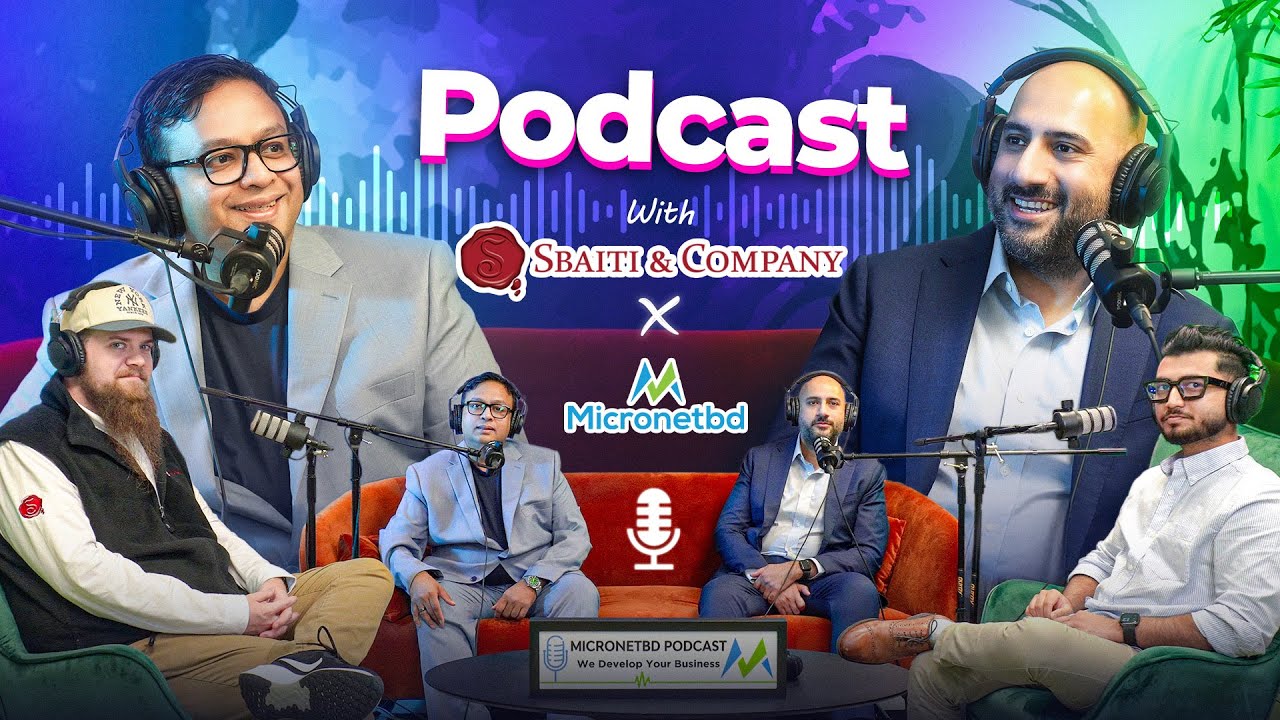
Inside legal transformation: expert panel with Sbaiti and Company
The Micronetbd podcast with Sbaiti and Company: an expert panel on legal transformation, strategy and running matters on a modern platform.
30:59 on the Micronetbd channel
More videos on this pageWhat a Litify build looks like in practice
Six builds that carry most firms
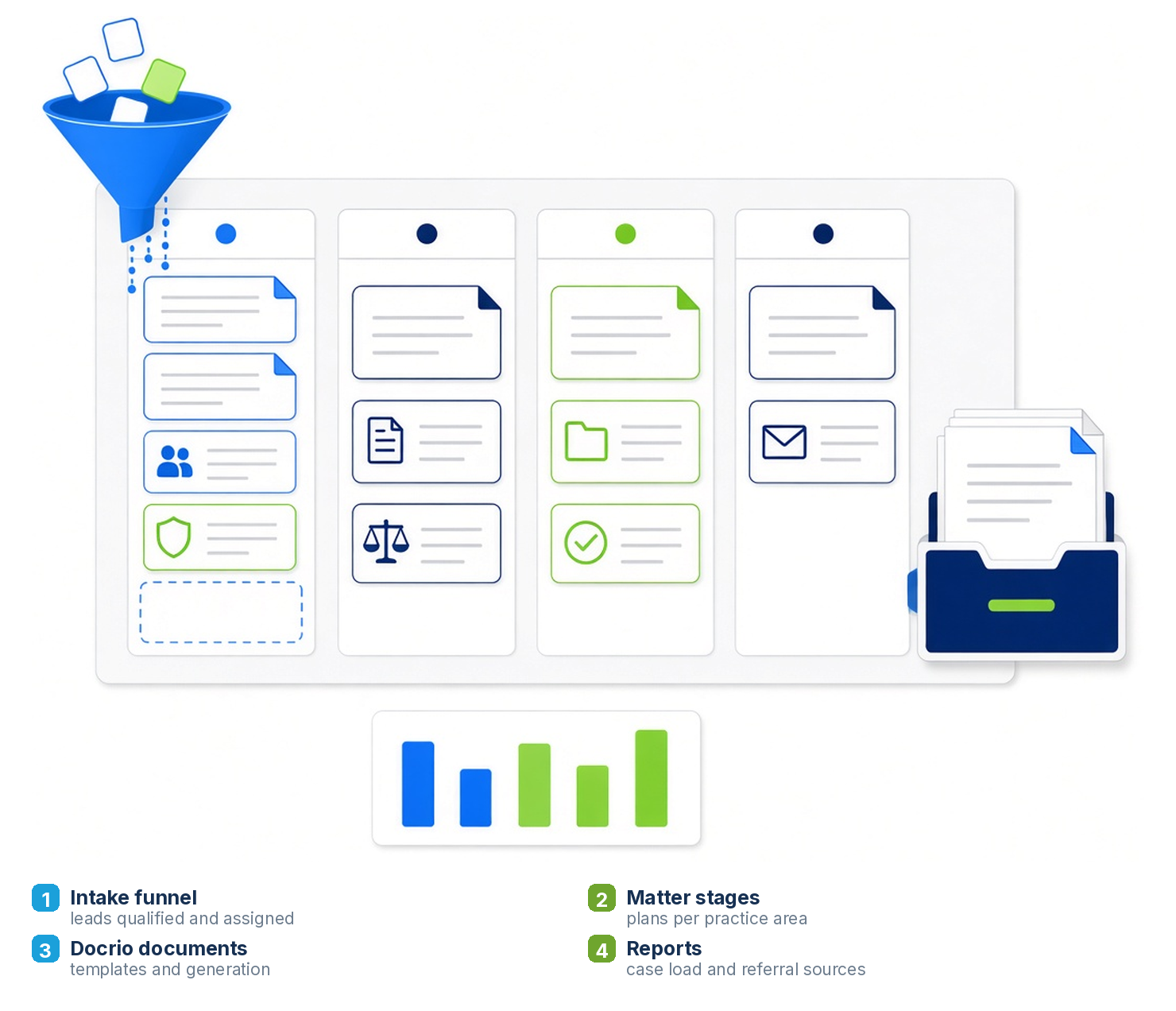
Matter plans
Stages, tasks, deadlines and roles that mirror how each practice area really runs.
Intake automation
Lead capture, qualification, conflict checks and handoff to the case team.
Docrio documents
Document management, templates and generation wired to matter data.
Reports and dashboards
Case load, referral sources, settlements and the numbers partners ask for.
Salesforce platform work
Flow, Apex and data model changes underneath Litify, done properly.
Fractional Salesforce admin
A named admin, ticket queue and monthly enhancements after go-live.
Legacy systems into Litify
We have moved firms off the systems below, with the documents intact.
Design, build, migrate, adopt
Your team sees their own cases in a sandbox before anyone commits to a go-live date.
Design
Practice areas mapped to matter plans, roles and permissions.
Build
Configured in your org, with intake, documents and reports wired up.
Migrate
Data and documents loaded, then a delta pass before cutover.
Adopt
Training by role, go-live support, then ongoing admin.
Where Litify projects go wrong
The platform is rarely the problem.
Common failure modes
- Matter plans copied from a demo org, not the firm
- Intake that stops at the lead and never reaches the case team
- Documents migrated flat, out of their folders
- Reports built on fields nobody fills in
- No admin after go-live, so the build slowly rots
How we handle it
- Plans built from how your team actually works a file
- Intake through to assignment, with conflict checks
- Folder structure preserved in Docrio
- Required fields and validation, so reports mean something
- A named admin on a flat monthly subscription
Specright, for companies that manage specifications.
Same platform, same team. If your business runs on product specs rather than matters, that is the sibling practice.
Litify data migration services
Most Litify projects are also migrations. The firm is leaving Needles, Neos, ProLaw, Clio, Filevine or a spreadsheet, and the matters, contacts, calendars, notes and documents have to arrive in Litify intact, in the right practice area and in the right folders. Micronetbd runs the extract, the mapping, the test loads and the reconciliation, so the case team opens Litify on day one and finds their files where they expect them.
Mapping before moving
Every source field mapped to its Litify home, with the fields that mean different things in different offices settled in writing before a single record loads.
Documents with their structure
Files land in Docrio in the folder tree your staff already know, not as one flat pile with a date stamp.
Counted, then counted again
A reconciliation report per object, a delta pass before cutover, and a rollback plan nobody has ever needed to use.
Litify consulting questions
What does a Litify consultant do that the Litify onboarding does not?
Litify's own onboarding configures the product. A consulting partner configures your firm: matter plans built from how each practice area actually works a file, intake that reaches the case team, documents in the folder structure your staff expects, reports on fields people fill in, and a plan for the data coming out of the old system. Micronetbd does both the Litify configuration and the Salesforce platform work underneath it.
Which systems can you migrate into Litify?
Needles, Neos, ProLaw, Clio, Filevine, spreadsheets and home-grown databases. Matters, contacts, parties, notes, calendars, time and billing where it exists, and documents with their folder structure preserved in Docrio. Every migration ends with a reconciliation report that counts what went in against what came out.
How long does a Litify implementation take?
A single practice area with a clean data source is typically live within a quarter of kickoff. Multi-practice firms or firms leaving several systems at once run longer, in planned phases, so one practice group is live and stable before the next moves.
Do you provide Litify administration after go-live?
Yes. A named Salesforce and Litify administrator on a flat monthly retainer handles users, matter plan changes, document templates, reports and Salesforce releases, with a ticket queue and a monthly enhancement backlog.
Is Micronetbd a Litify partner and a Salesforce partner?
Micronetbd is a Salesforce consulting partner headquartered in Hamilton, New Jersey, working with law firms on Litify and Salesforce, and a Filevine, DocuSign and Specright partner. The company is SOC 2 Type II audited and has moved more than 190,000 matters and 2.4 million documents onto legal platforms.
What do Litify consulting services cost?
Fixed-fee implementations scoped from a discovery session, priced by practice areas, users, integrations and the size of the migration, with the ongoing admin retainer quoted separately. Walk us through one case type and we will send a written scope and price.
After go-live: Litify and the Salesforce underneath it, administered
A named Litify admin, a ticket queue and a flat monthly subscription, from the team that implemented it: Litify managed services, all managed services.
Watch: Litify, explained by the people who build it
Webinars and short takes on Litify implementation, migration and case management.


More on the Micronetbd YouTube channel.
Migration guides by source platform
How the move runs from Needles, Clio, MyCase and ProLaw, or the full list of source systems.
Legal CRM on Salesforce
Intake, matters, marketing and reporting on one platform: a law firm CRM on Salesforce or Litify.
Show us one practice area
Walk us through how your firm runs one case type. We will show you what that looks like built in Litify.